

How C++ Compiler Works - ▶️YouTube
Preprocessing
The preprocessing stage prepares the source code for further compilation steps. It handles directives like:
#include: Inserts the contents of a specified header file into the source code.- Example: Including a header named
EndBrace.hthat simply contains a closing brace:
  // EndBrace.h
  }
// Math.cpp int Multiply(int a, int b) { int result = a * b; return result; #include "EndBrace.h"- Example: Including a header named
#define: Replaces occurrences of an identifier with a specified value throughout the code.- Example: Defining a macro
INTEGERforint:
// Math.cpp #define INTEGER int INTEGER Multiply(int a, int b) { INTEGER result = a * b; return result; }- Example: Defining a macro
#if,#ifdef,#ifndef,#else,#endif: Conditionally include or exclude code blocks based on specified conditions.- Example: Including the
Multiplyfunction definition only if a condition is true:
// Math.cpp #if 1 // Assuming the condition is always true in this example int Multiply(int a, int b) { int result = a * b; return result; } #endif- Example: Including the
Generating Preprocessed Output
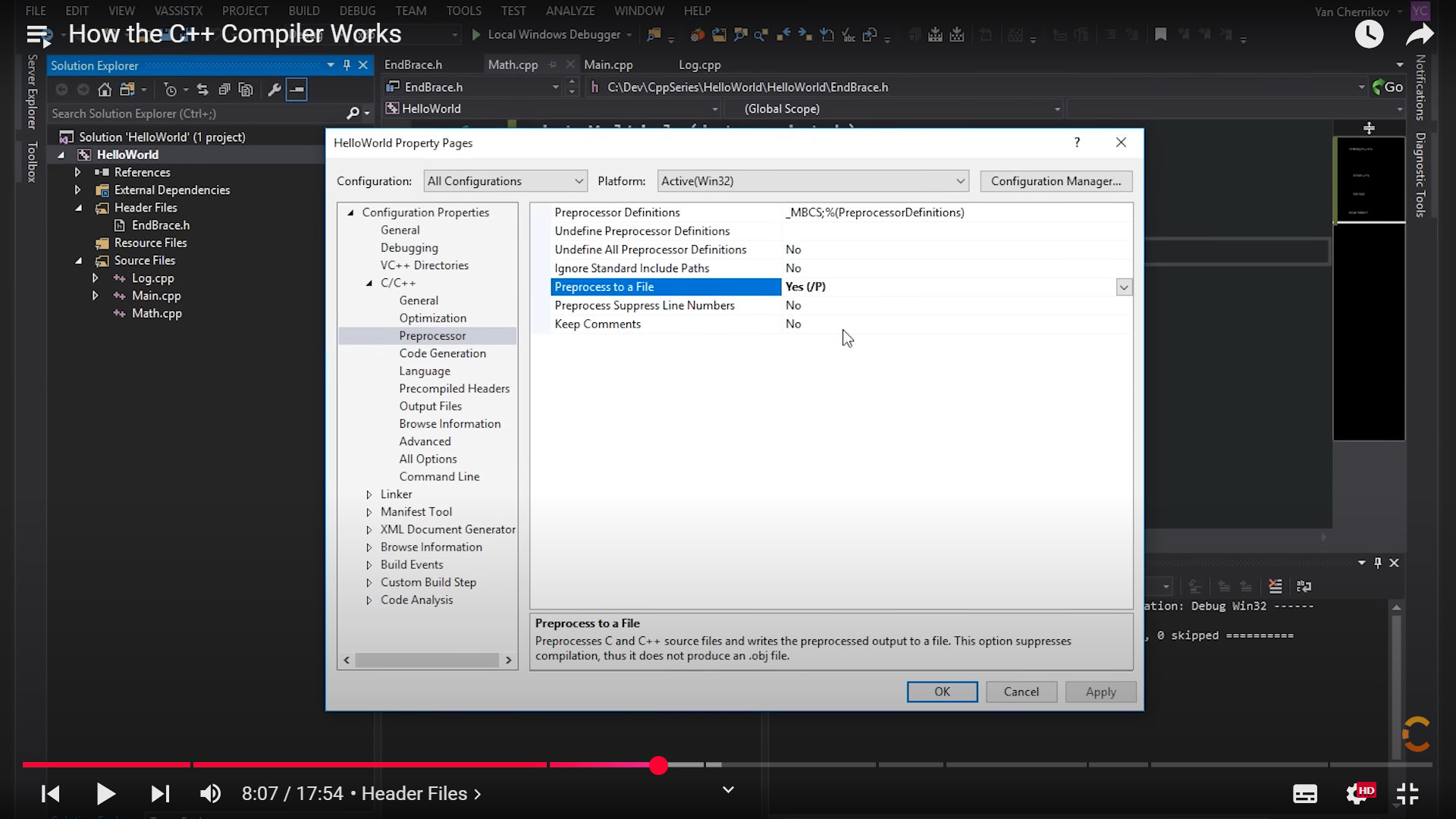
In development environments like Visual Studio, you can configure the compiler to generate a preprocessed file (usually with a .i extension) by enabling the “Preprocess to a File” option under C/C++ properties. This helps examine the code after preprocessing.
Generating Assembly Output
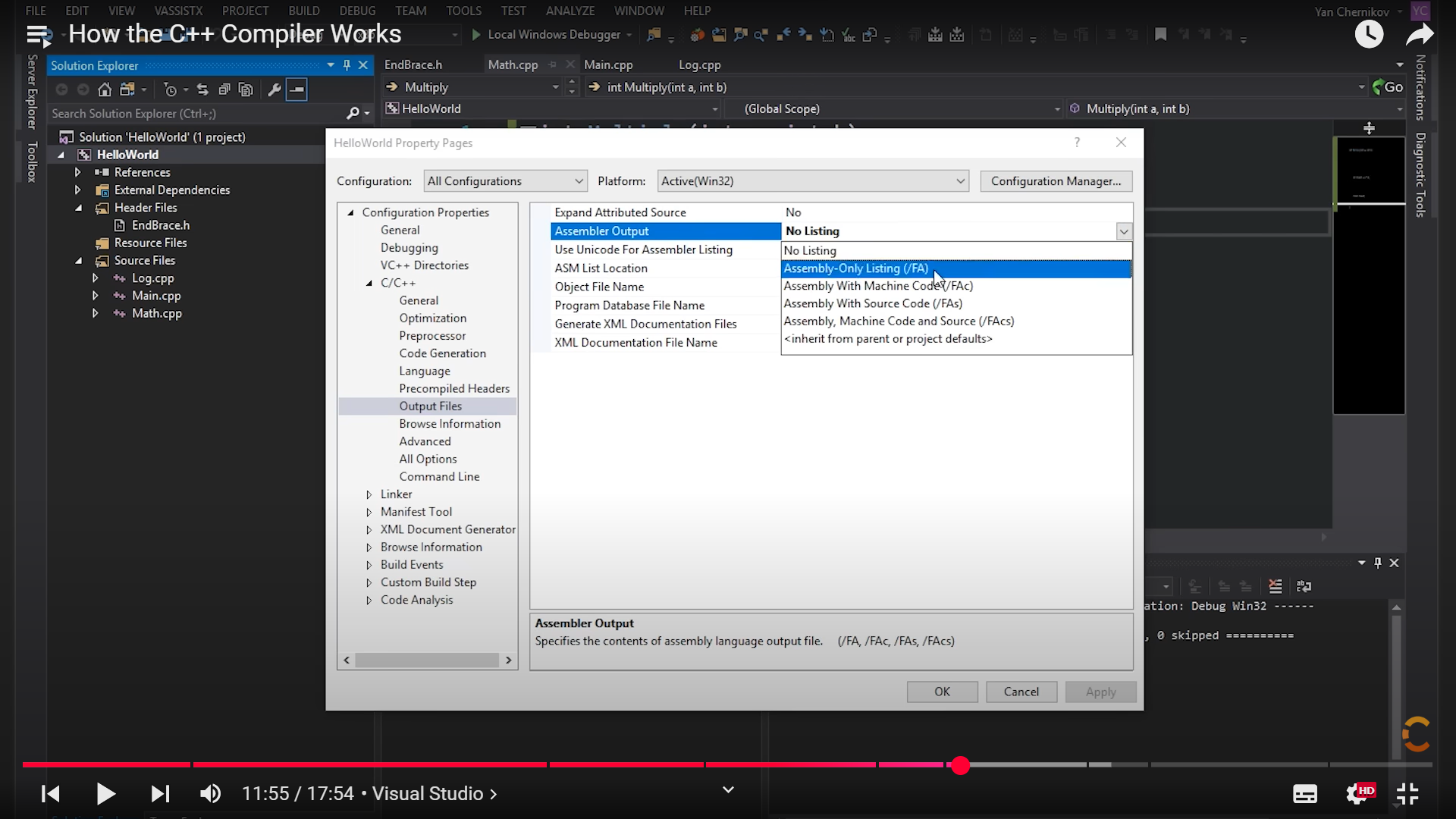
Similarly, you can configure the compiler to generate assembly language output (usually with a .asm extension) by setting the “Assembler Output” option under C/C++ properties to “Assembly-Only Listing (/FA)”. Assembly code represents a low-level representation of the program that can be understood by the machine.
Generating Optimized Assembly Output
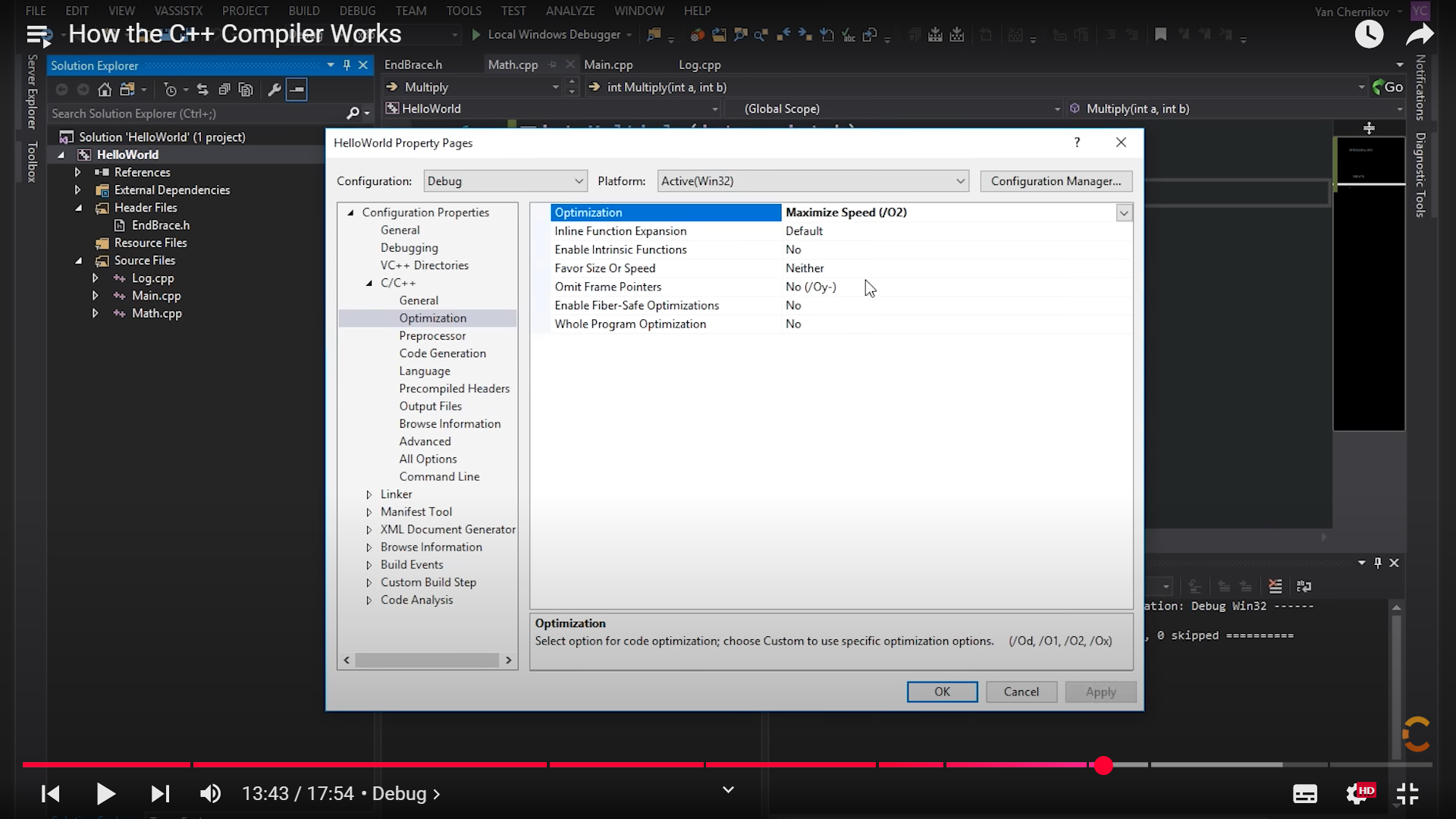
Compilers often provide optimization options to improve the program’s performance. These optimizations can include:
- Constant Folding: Evaluating constant expressions at compile time. For example,
2 + 3would be directly replaced with5. - Inlining: Replacing function calls with their actual code, eliminating function call overhead.
- Loop Unrolling: Expanding loops by replicating their contents, potentially reducing loop overhead.
- Register Allocation: Assigning variables to registers for faster access.
Addressing the cl Compiler Error D8016
cl : command line error D8016: '/O2' and '/RTC1' command-line options are incompatible
/O2: This option enables maximum speed optimization. It instructs the compiler to aggressively optimize the generated code for performance, potentially sacrificing some debugging information./RTC1: This option enables Run-Time Checks (level 1). It instructs the compiler to insert code to check for common runtime errors like stack frame overruns, uninitialized variables, and invalid parameter values. These checks can slow down the program’s execution and are used for debugging.
This error occurs when using the cl compiler with the /O2 (maximum speed optimization) and /RTC1 (Run-Time Checks level 1) options together. These options are incompatible because runtime checks can interfere with aggressive optimizations.
Resolution:
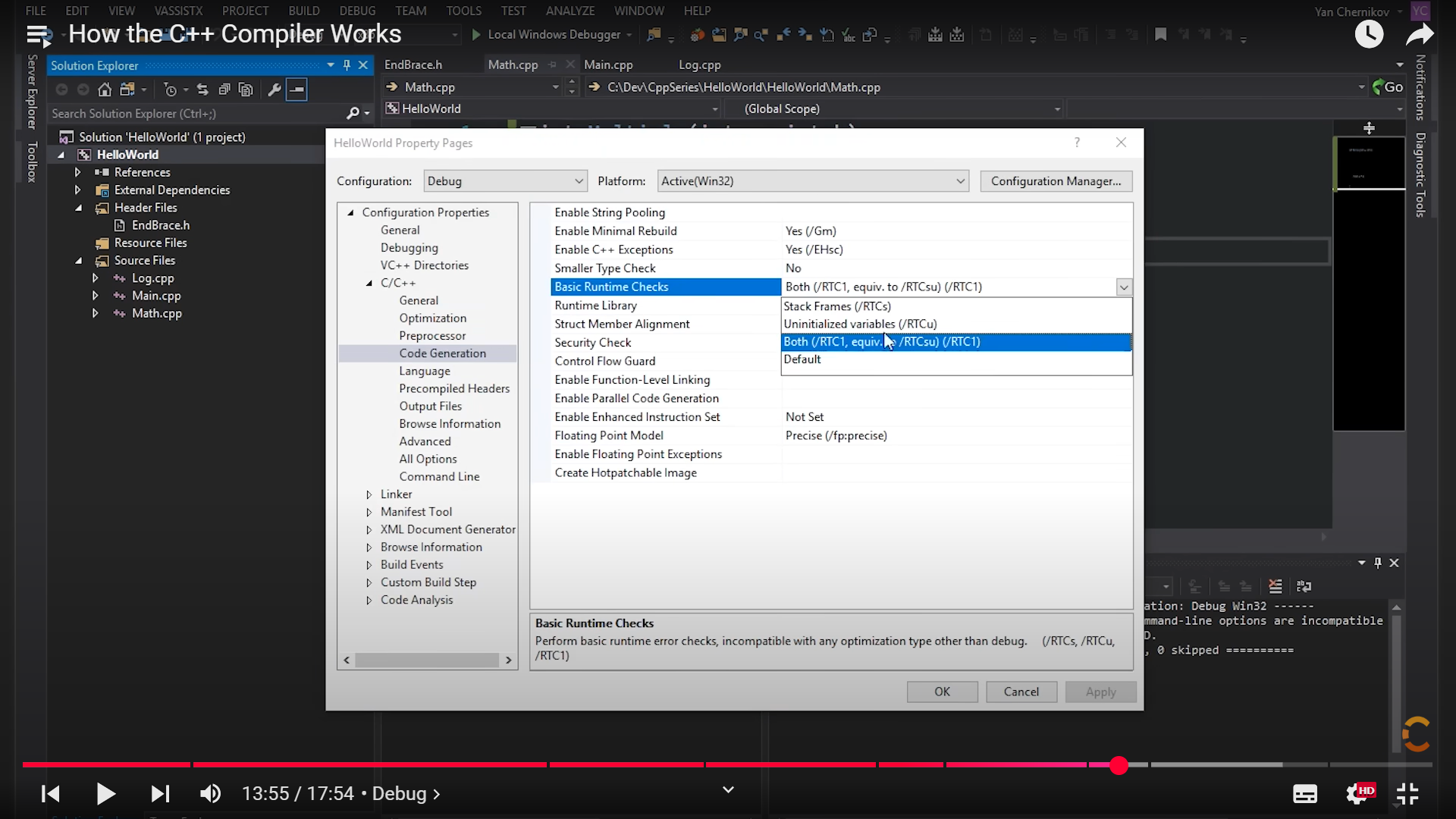 Set “Runtime Checks” to “Default”:
- In your project’s properties, navigate to “C/C++” -> “Code Generation.”
- Change the “Runtime Checks” setting to “Default.” This allows the compiler to automatically adjust runtime checks based on the chosen optimization level, minimizing conflicts.